Menu
1 of 67 components implemented · Open in Figma
report a catalog issue
Swipe across to explore the sheet · + to zoom
Double-click a section to zoom · ⌘/Ctrl-scroll · drag to pan · + / − / 0 by keyboard · Esc resets
Code Connect
design-map
name match
override variant
not implemented
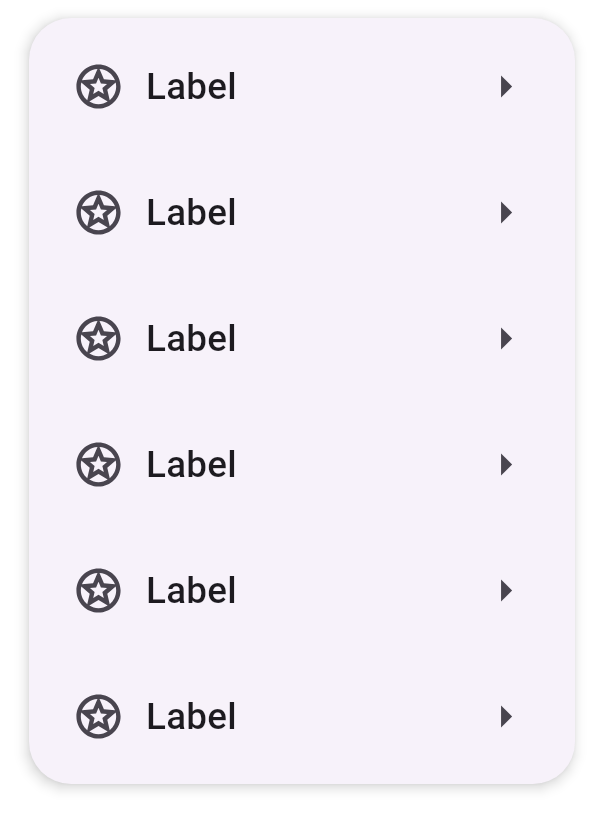 State=Disabled — no code behind this
State=Selected — no code behind this
State=Hovered — no code behind this
State=Focused — no code behind this
State=Enabled — no code behind this
State=Disabled — no code behind this
State=Selected — no code behind this
State=Hovered — no code behind this
State=Focused — no code behind this
State=Enabled — no code behind this
State=Disabled — no code behind this
State=Selected — no code behind this
State=Hovered — no code behind this
State=Focused — no code behind this
State=Enabled — no code behind this
Type=Icon — no code behind this
Type=Indent — no code behind this
Type=Slot — no code behind this
Type=Icon — no code behind this
Type=Text — no code behind this
Type=Slot — no code behind this
Type=Icon — no code behind this
Type=Text — no code behind this
Type=Slot — no code behind this
Menu with Text field - Example 1 — no code behind this
Menu with Text field - Example 2 — no code behind this
Menu - Icon button Example — no code behind this
Density=0 — no code behind this
Density=-2 — no code behind this
Density=-4 — no code behind this
Theme=Vibrant, Groups=3 — no code behind this
Theme=Vibrant, Groups=2 — no code behind this
Theme=Vibrant, Groups=1 — no code behind this
Theme=Standard, Groups=3 — no code behind this
Theme=Standard, Groups=2 — no code behind this
Theme=Standard, Groups=1 — catalog/src/main/kotlin/ee/schimke/m3catalog/sections/Menus.kt#DropdownMenuGroupSticker
State=Enabled, Selected=False — no code behind this
State=Enabled, Selected=True — no code behind this
State=Hovered, Selected=False — no code behind this
State=Hovered, Selected=True — no code behind this
State=Focused, Selected=False — no code behind this
State=Focused, Selected=True — no code behind this
State=Pressed, Selected=False — no code behind this
State=Pressed, Selected=True — no code behind this
State=Disabled, Selected=False — no code behind this
State=Disabled, Selected=True — no code behind this
State=Active, Selected=False — no code behind this
State=Enabled, Selected=False — no code behind this
State=Enabled, Selected=True — no code behind this
State=Hovered, Selected=False — no code behind this
State=Hovered, Selected=True — no code behind this
State=Focused, Selected=False — no code behind this
State=Focused, Selected=True — no code behind this
State=Pressed, Selected=False — no code behind this
State=Pressed, Selected=True — no code behind this
State=Disabled, Selected=False — no code behind this
State=Disabled, Selected=True — no code behind this
State=Active, Selected=False — no code behind this
Type=Indent — no code behind this
Type=Icon — no code behind this
Type=Slot — no code behind this
Type=Text — no code behind this
Type=Slot — no code behind this
Type=Text — no code behind this
Type=Icon — no code behind this
Type=Slot — no code behind this
Type=Badge — no code behind this
State=Disabled — no code behind this
State=Selected — no code behind this
State=Hovered — no code behind this
State=Focused — no code behind this
State=Enabled — no code behind this
State=Disabled — no code behind this
State=Selected — no code behind this
State=Hovered — no code behind this
State=Focused — no code behind this
State=Enabled — no code behind this
State=Disabled — no code behind this
State=Selected — no code behind this
State=Hovered — no code behind this
State=Focused — no code behind this
State=Enabled — no code behind this
Type=Icon — no code behind this
Type=Indent — no code behind this
Type=Slot — no code behind this
Type=Icon — no code behind this
Type=Text — no code behind this
Type=Slot — no code behind this
Type=Icon — no code behind this
Type=Text — no code behind this
Type=Slot — no code behind this
Menu with Text field - Example 1 — no code behind this
Menu with Text field - Example 2 — no code behind this
Menu - Icon button Example — no code behind this
Density=0 — no code behind this
Density=-2 — no code behind this
Density=-4 — no code behind this
Theme=Vibrant, Groups=3 — no code behind this
Theme=Vibrant, Groups=2 — no code behind this
Theme=Vibrant, Groups=1 — no code behind this
Theme=Standard, Groups=3 — no code behind this
Theme=Standard, Groups=2 — no code behind this
Theme=Standard, Groups=1 — catalog/src/main/kotlin/ee/schimke/m3catalog/sections/Menus.kt#DropdownMenuGroupSticker
State=Enabled, Selected=False — no code behind this
State=Enabled, Selected=True — no code behind this
State=Hovered, Selected=False — no code behind this
State=Hovered, Selected=True — no code behind this
State=Focused, Selected=False — no code behind this
State=Focused, Selected=True — no code behind this
State=Pressed, Selected=False — no code behind this
State=Pressed, Selected=True — no code behind this
State=Disabled, Selected=False — no code behind this
State=Disabled, Selected=True — no code behind this
State=Active, Selected=False — no code behind this
State=Enabled, Selected=False — no code behind this
State=Enabled, Selected=True — no code behind this
State=Hovered, Selected=False — no code behind this
State=Hovered, Selected=True — no code behind this
State=Focused, Selected=False — no code behind this
State=Focused, Selected=True — no code behind this
State=Pressed, Selected=False — no code behind this
State=Pressed, Selected=True — no code behind this
State=Disabled, Selected=False — no code behind this
State=Disabled, Selected=True — no code behind this
State=Active, Selected=False — no code behind this
Type=Indent — no code behind this
Type=Icon — no code behind this
Type=Slot — no code behind this
Type=Text — no code behind this
Type=Slot — no code behind this
Type=Text — no code behind this
Type=Icon — no code behind this
Type=Slot — no code behind this
Type=Badge — no code behind this
1 of 67 components implemented
State=Disabledno code behind this
State=Selectedno code behind this
State=Hoveredno code behind this
State=Focusedno code behind this
State=Enabledno code behind this
State=Disabledno code behind this
State=Selectedno code behind this
State=Hoveredno code behind this
State=Focusedno code behind this
State=Enabledno code behind this
State=Disabledno code behind this
State=Selectedno code behind this
State=Hoveredno code behind this
State=Focusedno code behind this
State=Enabledno code behind this
Type=Iconno code behind this
Type=Indentno code behind this
Type=Slotno code behind this
Type=Iconno code behind this
Type=Textno code behind this
Type=Slotno code behind this
Type=Iconno code behind this
Type=Textno code behind this
Type=Slotno code behind this
Menu with Text field - Example 1no code behind this
Menu with Text field - Example 2no code behind this
Menu - Icon button Exampleno code behind this
Density=0no code behind this
Density=-2no code behind this
Density=-4no code behind this
Theme=Vibrant, Groups=3no code behind this
Theme=Vibrant, Groups=2no code behind this
Theme=Vibrant, Groups=1no code behind this
Theme=Standard, Groups=3no code behind this
Theme=Standard, Groups=2no code behind this
Theme=Standard, Groups=1catalog/src/main/kotlin/ee/schimke/m3catalog/sections/Menus.kt#DropdownMenuGroupSticker
State=Enabled, Selected=Falseno code behind this
State=Enabled, Selected=Trueno code behind this
State=Hovered, Selected=Falseno code behind this
State=Hovered, Selected=Trueno code behind this
State=Focused, Selected=Falseno code behind this
State=Focused, Selected=Trueno code behind this
State=Pressed, Selected=Falseno code behind this
State=Pressed, Selected=Trueno code behind this
State=Disabled, Selected=Falseno code behind this
State=Disabled, Selected=Trueno code behind this
State=Active, Selected=Falseno code behind this
State=Enabled, Selected=Falseno code behind this
State=Enabled, Selected=Trueno code behind this
State=Hovered, Selected=Falseno code behind this
State=Hovered, Selected=Trueno code behind this
State=Focused, Selected=Falseno code behind this
State=Focused, Selected=Trueno code behind this
State=Pressed, Selected=Falseno code behind this
State=Pressed, Selected=Trueno code behind this
State=Disabled, Selected=Falseno code behind this
State=Disabled, Selected=Trueno code behind this
State=Active, Selected=Falseno code behind this
Type=Indentno code behind this
Type=Iconno code behind this
Type=Slotno code behind this
Type=Textno code behind this
Type=Slotno code behind this
Type=Textno code behind this
Type=Iconno code behind this
Type=Slotno code behind this
Type=Badgeno code behind this